Crypto portfolio tracker: your entire portfolio in one place
How much is my portfolio worth, what have I gained, and is it too one-sided? The portfolio tracker in CryptoCompass answers these questions at a glance – with your actual purchase data, a tax report for Austria and Germany and a clear assessment instead of bare numbers.
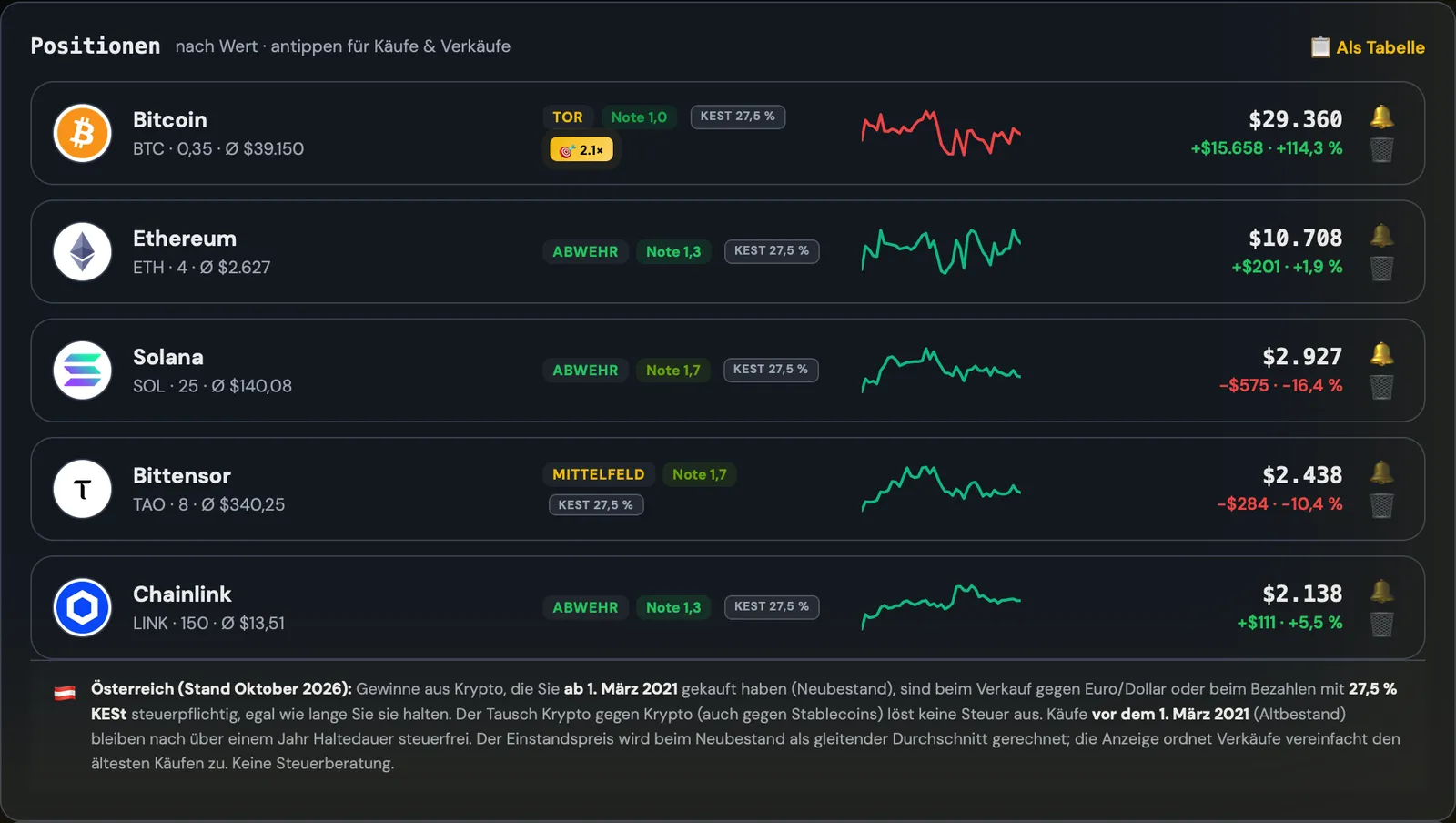
What you can do with it
What the tracker shows
At the top you see your portfolio value, profit or loss, money invested and the change over the last 24 hours. Below that, each position is listed with quantity, average purchase price, current value and the price trend over the last seven days. One tap opens all buys and sells of that coin – every single transaction can be edited.
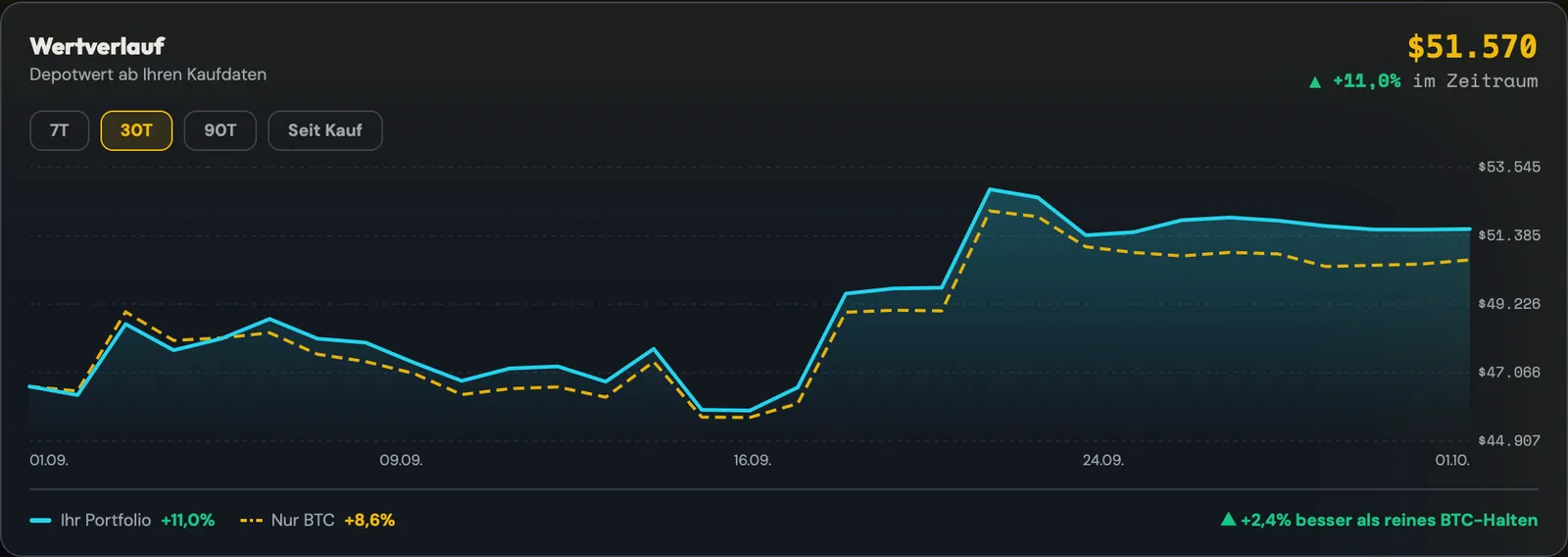
The value history is calculated from the actual purchase date. A top-up purchase therefore does not count as profit: the percentage only shows how your holdings have performed. For comparison, a second line shows how the same money would have performed in Bitcoin.
How well is my portfolio positioned?
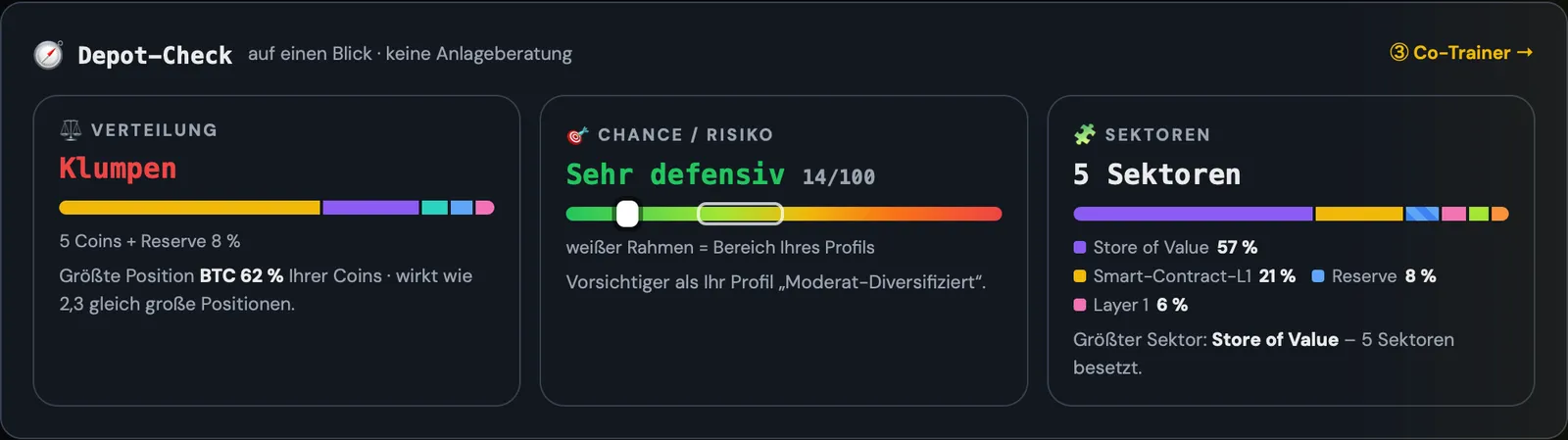
The portfolio check combines three questions: is too much in one coin? How risky is the mix relative to your profile? And across how many areas – such as Layer 1, DeFi or AI – is your money spread? Under “Target vs. actual” you can also set what percentage each coin should have. CryptoCompass then shows where you deviate from it and what amount would need to be reallocated to rebalance.
Cockpit or Stadium – you choose the view
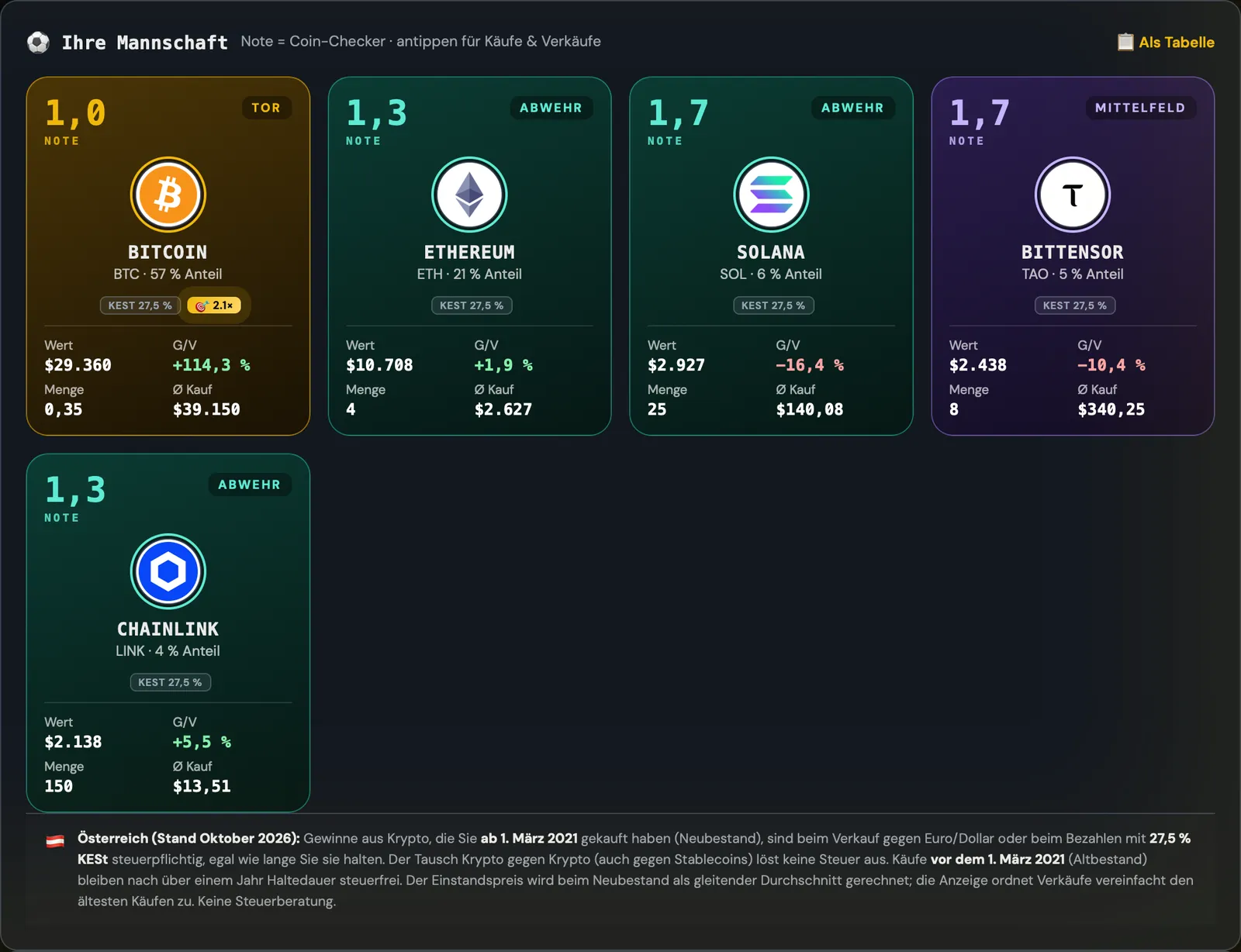
The “Cockpit” view is as matter-of-fact as a banking app. The “Stadium” view shows each coin as a player card – with the grade from the Coin Check, its position on the pitch and the key figures. Both views show the same data, and you switch with one click.
How to get started
- Create an account and open the portfolio.
- Add your coins – one by one, as a list or with your exchange’s export.
- View portfolio value, profit, allocation and tax report straight away. Set price alerts if you wish.
Understand your portfolio instead of just counting it
The portfolio tracker is included from the COMPASS plan upwards. Cancel monthly.
View plansFrequently asked questions
Which exchanges can I import?
The import recognises the columns automatically. It has been tested with exports from Binance, Bitpanda, Coinbase, Kraken, KuCoin, OKX, Bitget, Bitvavo and Bybit. Buys and sells are imported with date, price and fee.
Do I need a connection to my exchange or an API key?
No. You simply upload your exchange’s export file. CryptoCompass gets no access to your exchange account and cannot trade anything.
Does the tracker calculate in euros or dollars?
The default is dollars; you can switch to euros at any time. Purchases in euros and dollars can be mixed.
Is the tax report tax advice?
No. It is a document for you and your tax adviser: realised gains per year under the rules for Austria or Germany, as of October 2026.
Can I use it on my phone too?
Yes. CryptoCompass runs in the browser on phone, tablet and computer, and your data is synced between devices.
More features
CryptoCompass is an educational and analysis tool by Die Kryptoschule (Mag. Klaus Baier, Höhnhart, Austria). Not investment or tax advice. Crypto is high-risk; a total loss is possible. The images show a demo portfolio.